Best screenshot tool: free and paid options compared by task
October 31, 2026 · 3 min read
The best screenshot tool depends on what you capture. For everyday screenshots, the tool built into your system is enough: the Snipping Tool on Windows, the Screenshot app on a Mac. For scrolling captures, annotation and uploads on Windows, ShareX is free and open source. Snagit covers both Windows and Mac for teams, CleanShot X and Shottr are Mac-only, and for whole web pages a browser tool or extension is the simplest option.
Best screenshot tools compared
| Tool | Systems | Price | Best for |
|---|---|---|---|
| Snipping Tool | Windows | Free, built in | Areas, windows, quick edits |
| Screenshot app (Cmd + Shift + 5) | Mac | Free, built in | Screen, window, area, timer |
| ShareX | Windows | Free, open source | Scrolling capture, annotation, uploads |
| Snagit | Windows, Mac | Paid | Teams on both systems |
| CleanShot X, Shottr | Mac | Paid / free | See our Mac comparison |
| Firefox and Edge screenshot tools | Browser | Free, built in | Full web pages in those browsers |
Built-in tools: start here
- Windows: Windows + Shift + S opens the Snipping Tool with rectangle, window, full screen and freeform modes, plus crop, pen and highlighter (Microsoft).
- Mac: Cmd + Shift + 3, 4 and 5 cover the screen, an area and a toolbar with a timer (Apple).
Neither scrolls. That’s the main reason people install something else.
ShareX: the free power tool for Windows
ShareX describes itself as “a free and open source screenshot tool for Windows” with no account required. It adds scrolling capture, screen recording, annotation tools including blur and pixelate, and uploads to many services. It has many settings, so expect some setup.
Snagit: for Windows and Mac teams
Snagit runs on both Windows and macOS and includes Scrolling Capture. It’s paid, with volume licences for teams of five or more.
Mac apps
CleanShot X (paid) and Shottr (free) both add scrolling captures on macOS. We compare them in the best screenshot app for Mac.
For web pages: browser tools
If you mostly capture websites, you may not need a desktop app. Firefox has Save full page built in, and Edge has Capture full page. Chrome hides its command in DevTools, which is where an extension helps.
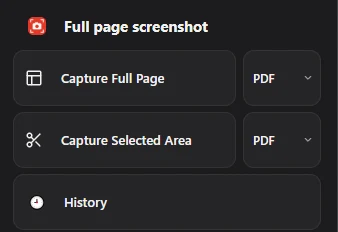
Full page screenshot is a free Chrome extension for exactly this: capture the full page or a selected area, save as PDF, PNG or JPG, and keep every file in History. It captures web pages in Chrome only, not other apps or the desktop.
Questions people ask
What is the best free screenshot tool for Windows?
The Snipping Tool for everyday use; ShareX if you need scrolling capture, annotation or uploads.
What is the best screenshot tool for a Mac?
The built-in Screenshot app for most tasks. For scrolling captures, Shottr (free) or CleanShot X (paid).
Is there a screenshot tool that captures a whole web page?
Yes. Firefox and Edge have it built in; in Chrome, use DevTools or an extension.