Copy screenshot to clipboard on Windows, Mac and Chromebook
October 31, 2026 · 2 min read
To copy a screenshot to the clipboard, press PrtSc on Windows (the whole screen) or Alt + PrtSc (one window). On a Mac, add Control to the screenshot shortcut, for example Control + Shift + Cmd + 4. Chromebook screenshots are copied automatically. Then paste with Ctrl + V or Cmd + V.
Copy screenshot shortcuts
| System | Copy to clipboard | Source |
|---|---|---|
| Windows | PrtSc (screen), Alt + PrtSc (window) | Dell |
| Windows, Snipping Tool | Ctrl + C in the snip | Microsoft |
| Mac | Add Control to Cmd + Shift + 3 or 4 | Apple |
| Chromebook | Automatic with every screenshot |
Windows
Plain PrtSc puts the whole screen on the clipboard without creating a file. Alt + PrtSc copies only the active window. If your laptop needs Fn for PrtSc, add it. In the Snipping Tool, open the snip and press Ctrl + C.
Mac
Press Control + Shift + Cmd + 3 for the whole screen or Control + Shift + Cmd + 4 for an area. If you already took a screenshot, Control-click its thumbnail and choose Save to Clipboard.
Chromebook
Every screenshot is copied to the clipboard and saved to Downloads at the same time, so you can paste right away.
In browsers
- Firefox: after Ctrl + Shift + S, click Copy (Mozilla).
- Edge: after Ctrl + Shift + S, copy the screenshot from the preview.
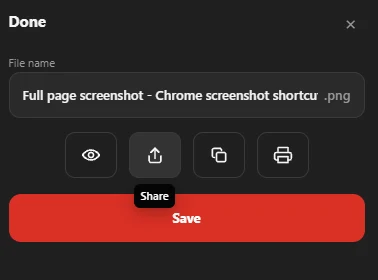
In Chrome, Full page screenshot shows a copy button in the dialog after a PNG capture, so you can paste a whole page, not just the visible part, into a chat or document.
Once it’s on the clipboard, see how to send a screenshot.
Questions people ask
Why is my screenshot not copying to the clipboard?
Some shortcuts save a file instead, such as Windows + PrtSc. Use PrtSc alone on Windows, or add Control on a Mac.
Where is the copied screenshot?
Only on the clipboard, until you paste it or copy something else. Paste it into an app to keep it.
Can I copy a screenshot on a Mac without saving it?
Yes. Add Control to the shortcut and nothing is saved to the desktop.