Firefox screenshot: full page, visible area or one element
October 31, 2026 · 2 min read
Firefox has a screenshot tool built in. Press Ctrl + Shift + S (Cmd + Shift + S on a Mac), or right-click an empty part of the page and choose Take Screenshot. Then click Save full page for the whole page, Save visible for what’s on screen, or drag to select a region, and download the image or copy it to the clipboard.
Firefox screenshot options
| Option | What it captures | How |
|---|---|---|
| Save full page | The whole page, top to bottom | Button in the upper right |
| Save visible | The part shown in the window | Button in the upper right |
| Select a region | An area you drag | Click and drag on the page |
| Select an element | A block Firefox highlights | Hover and click |
All four come from Mozilla’s support article.
Take a full page screenshot in Firefox
- Open the page and press Ctrl + Shift + S.
- Click Save full page in the upper right.
- In the preview, click Download to save the image or Copy to put it on the clipboard. Ctrl + S and Ctrl + C do the same from the keyboard.
Press Esc or click ✕ to cancel at any step.
Where Firefox screenshots are saved
Downloads go to Firefox’s default download folder, with a name like Screenshot 2026-10-31 at 12-30-00 Page title.png, following Mozilla’s naming pattern. The file is a PNG.
Screenshots in other browsers
Not every browser makes it this easy. Safari on a Mac has no full-page button, and Chrome hides its full-page command in the developer tools. Edge has its own Screenshot tool with the same shortcut. See Safari full page screenshots and Microsoft Edge screenshots.
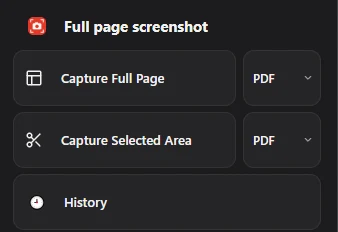
If you work in Chrome, Full page screenshot adds what Firefox has built in and a little more: capture the full page or a selected area as PDF, PNG or JPG, and find every file again in History. It works in Chrome only.
Questions people ask
What is the Firefox screenshot shortcut?
Ctrl + Shift + S on Windows and Linux, Cmd + Shift + S on a Mac.
Can Firefox save a screenshot as PDF?
The screenshot tool saves PNG images. For a PDF of the page, use Print and choose a PDF printer.
Why is Take Screenshot missing from the right-click menu?
Right-click an empty part of the page, not a link or an image. Or use the keyboard shortcut.